Disable Update Available popup in Firefox
March 26, 2026
Firefox shows an annoying popup prompting you to download updates and unchecking “Automatically install updates (recommended)” doesn’t help since it only prevents automatic updates.
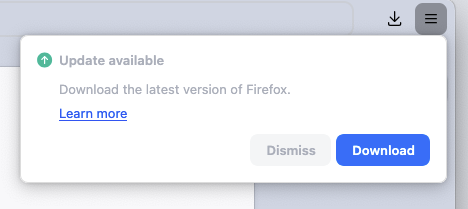
But you can disable it via Policies. On macOS do:
Enable Enterprise Policies
defaults write org.mozilla.firefox EnterprisePoliciesEnabled -bool TRUEDisable the popup
defaults write org.mozilla.firefox ManualAppUpdateOnly -bool TRUE
For Firefox Developer Edition, use org.mozilla.firefoxdeveloperedition instead.
Now restart the browser. The popup shouldn’t appear anymore. You can also check the
current status of active policies in about:policies.